













 Mean Stack Development
 Vue JS Development
 Javascript Development
 React JS Development
 Angular JS Development
 Next JS development
 Java Development
 Python Development
 Django Development
 Cherrypy Development
 C# Development
 ASP.NET Development
 NodeJS Development
 Laravel Development
 CodeIgniter Development
 Zend Development
 Ruby on Rails Development
 CakePHP Development
 PHP Website Development
 Symfony Development
 Drupal Development
 Joomla Development
 Wordpress Development
 .NET Nuke Development
 Kentico
 Umbraco
 .NET MAUI Development
 Xamarin Application Development
 iOS Application Development
 Android Application Development
 Android Wear App Development
 Ionic Development
 iBeacon Application Development
 Universal Windows Platform (UWP)
 Kotlin Application Development
 Swift Application Development
 Flutter Application Development
 PWA Application Development
 Flutter Health Tech & Wearable App Development Company
 React Native Health Tech Wearable App Development
 Offshore Software Development
 Custom Application Development
 Front-End Development
 Full Stack Development
 AI & Machine Learning
 Custom CRM Solutions
 Flask Software Development
 Electron JS Development
 ChatGPT Development
 Telemedicine App Development
 Build Smart Telemedicine Platform
 Beauty & Salon App Solutions
 Hire Workato Experts
 Magento Development
 Magento 2.0 Development
 Magento Enterprise
 Shopping Cart Development
 Prestashop Development
 Shopify Development
 Open Cart Development
 WooCommerce Development
 BigCommerce Development
 NopCommerce Development
 Virto Commerce Development
 AspDotNetStorefront Development
 .NET Application Development
 Microsoft Dynamics CRM
 VB .NET Development
 Sharepoint Migration
 ASP.NET Core Development
 ASP.NET MVC Development
 AJAX Development
 Agile Development
 Microsoft Bot
 Microsoft Blazor
 Microsoft Azure Cognitive
 HTML 5
 UI/UX Design
 Graphic Design
 Adobe Photoshop
 XML Application Development
 Cloud Computing Solutions
 Azure Cloud App Development
 AWS Development
 Google Cloud Development
 Certified AWS IoT Services Developers
 DevOps Consulting & Development
 Kubernetes Consulting & Services
 SQL Programming Development
 MySQL Development
 MongoDB Development
 Big Data
 Robotic Process Automation
 Social Media Marketing
 Search Engine Optimization
 QA Testing
 Software Testing
 Software Security
 Maintenance And Support
 I.T. Consulting Services
 Business Intelligence
 YII Development
 Data Analysis
 Alexa Skills Development
 On Demand App for Mobile repairing services
 On Demand App for Car Service Booking
 On Demand App for Cleaning Services
 On Demand App for Pharmacy
 On Demand Dedicated Developers
 On Demand Lawyer App Development







 Nuki Smart Lock
 Salto Smart Lock
 TTlock Smart Lock
 NFC App Development
 Custom IOT Enabled Smart Lock
 Smart Locker Solutions
 Hospital Smart Lock Systems
 Hotel Smart Lock Systems
 Smart Home & Office Locks
 Smart Access for Schools & Colleges
 Unloc Smart Lock Integration
 Yale & August Smart Lock Integration
 Populife Smart Lock Integration
 Smart Lock Hardware Development
 Dairy IoT Solutions
 Agri IoT & AI Solutions
 Weather & Climate Solutions
 Water & Waste Management Solutions
 RaspBerry Pi
 Firmware Software Development
 ESP 32 Software Development
 Embedded Development
 Internet of Things
 Smart IoT Development
 IoT Sensor Integration & Development Solutions
 Smart IoT System Development for HVAC
 Tuya IoT App Development
 Particle IoT SDK
 IoT Development with AI
 Smart Pet GPS Tracker
 Dairy GPS Tracking Solutions
 GPS Fleet Management Software
 Car Rental & Subscription Solutions
 Car Buy & Sell Marketplace Development
 AI-Powered Car Wash App Development
 PCB Design & Fabrication
 IoT AC Automation
 AI–IoT Painting Solutions
 IoT Wearable Hardware & App Development
 HVAC Automation & AI Control Systems
 Smart Home IoT Engineering
 AI Embedded Systems
 AI Hardware Design Service
 Advanced IoT Hardware & Firmware Development
 Device Driver Development Services
 NXP i.MX RT Firmware & Hardware Services
 Microchip PIC & AVR Development
 Hire IoT Architects
 IoT Cloud & Infrastructure Solutions
 Infineon XMC / AURIX Development Services
 Matter & Thread IoT Services
 Native IoT Mobile App Development (BLE & Wi-Fi)
 Snapdragon IoT Firmware Development
 Renesas RA/RX Firmware Services
 Silicon Labs EFR32 Development Services
 Smart Wearable App Development
 Smart IoT Meters
 Smart Healthcare Wearable App Development
 Health Care Monitoring System
 Fitness Tracking App Development
 Smart Home Automation Apps
 nRF PCB Design
 ESP32 PCB Design
 Embedded Wearables Engineers
 Rental Property Management System
 Building Management System
 Smart Lighting Development
 Infineon Semiconductor Firmware Development Services
 Custom Camera Development: Hardware, Firmware & PCB Prototyping
 Smart Security Camera SDK
 Nordic Semiconductor SDK
 Infineon SDK
 Arduino SDK
 NFC Lock Integration
 Kerong Lock Integration
 IoT & AI Solutions for Manufacturing
 Smart Inventory & Logistics Solution
 Food & Beverage Industry Solutions
 Smart Hospitality Solutions
 Smart Property Management
 Custom Smart Home IOT SDK
 Smart IoT & AI in Healthcare
 AI-Powered Security Solutions
 Smart Home Safety & AI
 Veterinary Clinic Management (AI)
 Pet Care System (AI & IoT)
 Pet Training & Adoption (AI)
 Healthcare IoT Development
 Event Management Software
 Money Remittance App
 Money Lending App Development
 Utility and Bill Payment App
 IoT Mobile App Development (Flutter & React Native)
 AI & IoT Retail Solutions
 Smart EV App Development
 Smart Solar IoT & AI Solutions
 IoT-Based Energy Systems
 Smart Energy & Utilities Solutions
 6G Solutions
 IoT Security Solutions
 AI-Powered Lottery App Development
 AI-Sports Fitness Club Management
 Travel
 Real Estate
 Medical & Healthcare
 e-Learning
 Consumer Products
 Finance
 Automobile
 Media & Entertainment
 Billing Software
 Enterprise Resource Planning (ERP)
 Augumented & Virtual Reality
 Point of Sale(POS) Development
 Learning Management System
 EV Charging Solutions
 About Us
 Partners & Certifications
 Quality Assurance
 Our Clients & Testimonials
 Development Process
 Our Products
 Social Responsibility
 Work Ethics
 Vision & Mission
 Awards
 Live Project Demos
 Contact Us
 Case Studies
 Portfolio
 Blog
Blog
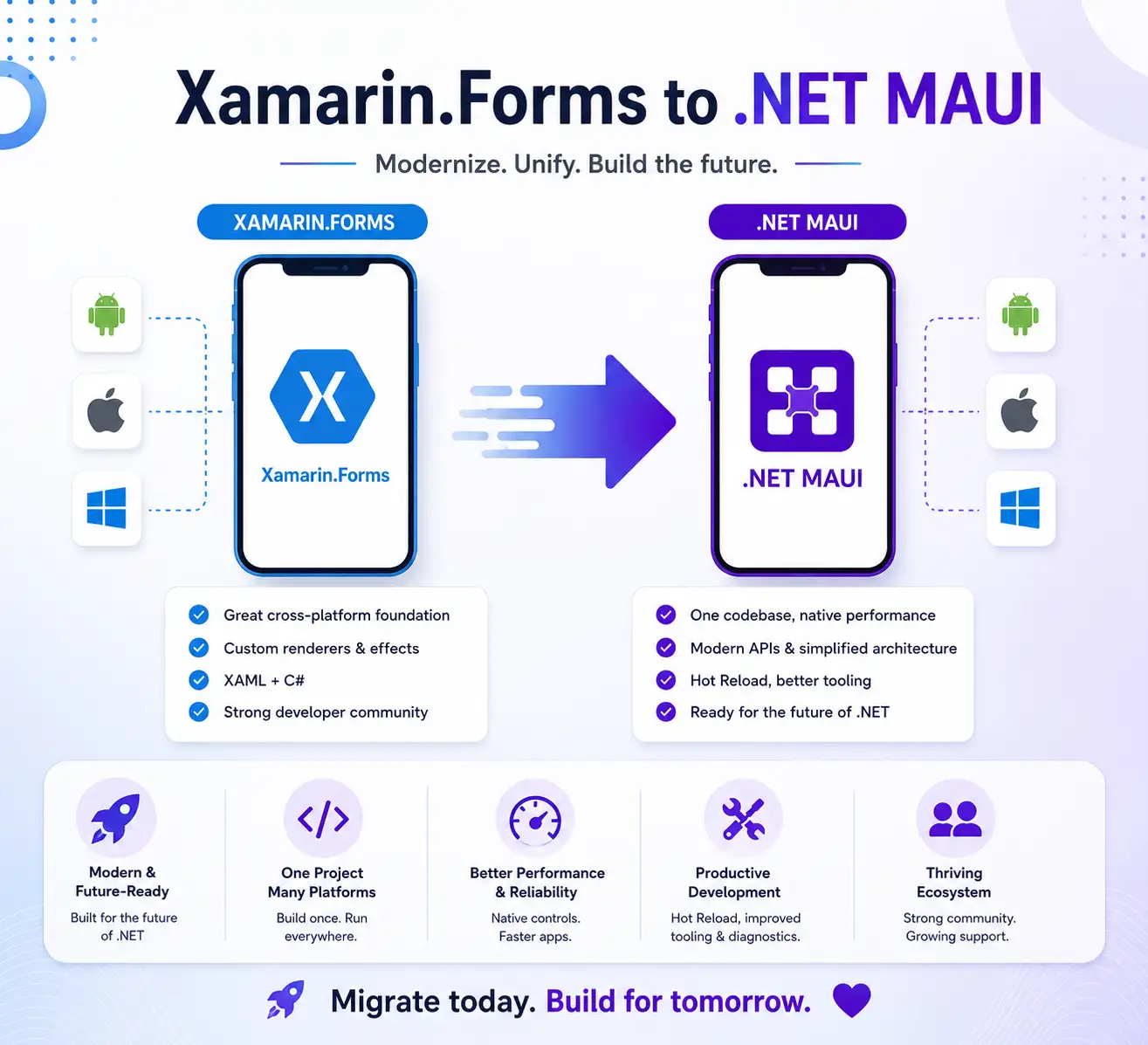
Expert Xamarin.Forms to .NET MAUI Migration Services
Adequate Infosoft has over a decade of experience delivering cross-platform mobile solutions and has successfully helped numerous organizations migrate their Xamarin.Forms applications to .NET MAUI. Our migration services are designed to preserve existing functionality and data while modernizing applications for improved performance, maintainability, and long-term support.
Xamarin.Forms has been officially declared as an unsupported framework by Microsoft. No new features will be added, there will be no further security updates, bug fixes, or technical assistance. Companies using Xamarin.Forms applications are exposed to growing technology risks, security risks, and business risks.
We have executed migration projects in various sectors such as; health care, retail, logistics, and financial service to enable organizations to effectively migrate their applications from Xamarin.Forms to Microsoft's newest cross-platform development framework. Through these migrations, we have allowed customers to increase the speed of their applications, decrease their technical debt, and utilize modern architecture capable of supporting future growth.
This guide will provide an overview of how to migrate defining what to expect during your transition process, and showcasing businesses that have modernized their mobile apps with our assistance.
Case Study: Migration of Legacy Healthcare Application from Xamarin.Forms to .NET MAUI
The Customer Profile
The customer is an intermediate sized Healthcare Technology company in the United Kingdom that has launched a Mobile Patient Engagement Application. The application was built using the Xamarin.Forms 4.x development framework.
The application serves over 10,000 patients with access to locations through the National Health Service (NHS). The application allows patients to schedule appointments, receive medication reminders, use telehealth services and access their health record securely.
By mid-2023, the application was starting to show its age. It had been developed using Xamarin.Forms version 4.8 which was at its end-of-support lifecycle, meaning that there are no longer any capabilities, fixes or enhancements to the software.
Two major third-party libraries that the application depends on for its functionality had also been sunsetted by the vendors, leading internal developers to spend roughly 30% of each development sprint resolving compatibility issues and crashes with newer Android 13 and iOS 17 devices rather than building new features.
The customer reached out to Adequate Infosoft with a clearly defined requirement to migrate the application to a supported platform which would provide future capabilities, without disrupting patient access to the application or compromising HISPA-compliance or GDPR-compliance.
The Technical Challenge
The application was more than just a standalone CRUD-based application; it had amassed 4 years of complexity including:
14 different customised Xamarin Renderers specifically created to provide the brand experience users expect, including a custom appointment calendar, a medication tracker widget and a biometric authentication prompt. 6 different Third-party SDKs were integrated into the mobile application, including a telemedicine video SDK, a connector to either the NHS appointment and booking API, or the push notifications service, and assume they will be commercially supported with .NET MAUI; however, none of these third parties had confirmed that. An offline-first BI architecture built using SQLite with a complex synchronisation engine which was responsible for synchronising patient data. FHIR (Fast Healthcare Interoperability Resources) API integration to allow access to health records. High-security requirements including certificate pinning, biometric authentication, and local data encryption.
Our Approach
Week 1-2:
Audit and Planning Our team conducted a full technical audit and discovered that 3 of the 6 third-party SDKs had no published .NET MAUI support. For two of these, we identified community-maintained MAUI-compatible forks.
For the telemedicine SDK, we worked directly with the vendor's engineering team to obtain an early access build of their MAUI SDK, a relationship that benefited the client significantly.
All of the custom Renderers were cataloged and prioritized (14 Renderers in total). Eight had been classified as simple Handler conversions.
Four required some partial redesign of the UI, since the way the underlying MAUI control APIs worked had resulted in the need for redevelopment of the control. Two others were completely replaced by solutions in the MAUI Community Toolkit.
Week 3-5:
We created a single .NET MAUI project and moved all main parts of the previous application to that project - Dependency injection setup (DI), Navigation Service, SQLite Data Layer, and FHIR API Client. The offline sync engine is the same, with only minor modifications; it had a solid architecture, as well as a version of SQLite-net that is stable with MAUI.
The security layer required particular care. Certificate pinning was re-implemented using .NET MAUI's HttpClient handler pipeline. Biometric authentication was migrated to the Plugin.
Fingerprint library for MAUI, which provided consistent behavior across Android and iOS. Encrypted local storage was re-implemented using AesGcm from .NET's built-in cryptography library, replacing a Xamarin-specific implementation.
Week 5-8:
UI Migration and Handler Development XAML migration across the application's 34 screens was largely straightforward. The most significant UI work involved the custom appointment calendar widget.
The original Renderer-based implementation had accumulated years of platform-specific workarounds. Rather than doing a direct conversion, our team rebuilt it as a clean .NET MAUI Handler, resulting in a component that was both more performant and more maintainable than its predecessor.
Push notification integration was migrated to the Plugin.Firebase.CloudMessaging package for MAUI, with platform-specific notification channel configuration handled cleanly within the unified project structure.
Week 8 to 10:
Testing a healthcare application requires a lot more than standard functional and regression testing alone, our QA team also performed the following additional testing:
Data Migration Testing:
To validate that no patient records were lost/corrupted during updates to the SQLite schema, we performed complete data migration testing.
Penetration Testing:
We executed penetration tests on both the certificate pinning layer and the API security layer.
Access Testing:
We completed accessibility testing using both VoiceOver (iOS) and TalkBack (Android) to ensure compliance; we made 11 fixes for accessibility before releasing the app.
End-to-End Teleconsultation Testing:
We successfully tested the end-to-end teleconsultation workflow on 24 different device and OS versions.
The client's Clinical Governance Team performed User Acceptance Testing over a 2-week period before general release with 500 test patients as part of the phased rollout to ensure that the release meets its clinical governance requirements for safety and quality.
Results Delivered
The migrated application went live on both app stores simultaneously in Q1 2024, just weeks before Xamarin.Forms' official end-of-support date.
| Metric | Xamarin.Forms | .NET MAUI | Improvement |
|---|---|---|---|
| Cold Start Time (Android) | 3.8 seconds | 1.9 seconds | 50% faster |
| Cold Start Time (iOS) | 2.6 seconds | 1.4 seconds | 46% faster |
| App Crash Rate | 2.3% sessions | 0.4% sessions | 83% reduction |
| Memory Usage (peak) | 187 MB | 124 MB | 34% reduction |
| Sprint Velocity (post-migration) | Baseline | +40% | Engineers freed from firefighting |
The number of crashes from the migrations were directly related to the patient safety issues because the patients who were relying on their medications to remind them were not receiving their reminders under the legacy Xamarin system. The reliability of reminder delivery has now increased to 99.6% since moving to the new platform.
According to the CTO of Client, the number of new features developed within the first two sprints after going live with the migration was greater than the number of new features developed by the development team throughout the prior 6 month period as the legacy Xamarin codebase had created an extremely large maintenance burden on the development team.
The system is live and liked by users. It is available on both the iOS and Android stores.
Explore Our .NET MAUI Solutions Case Studies
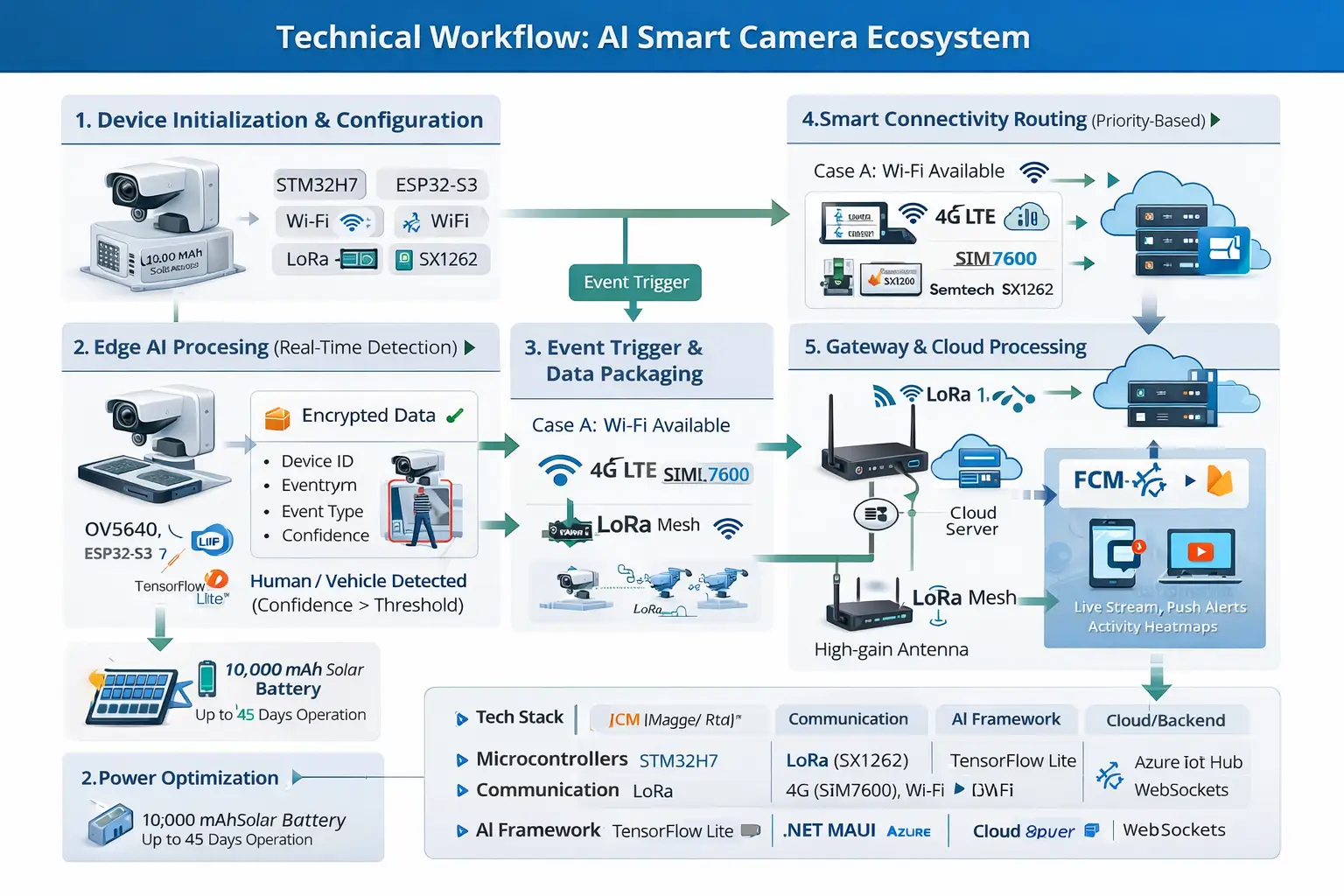
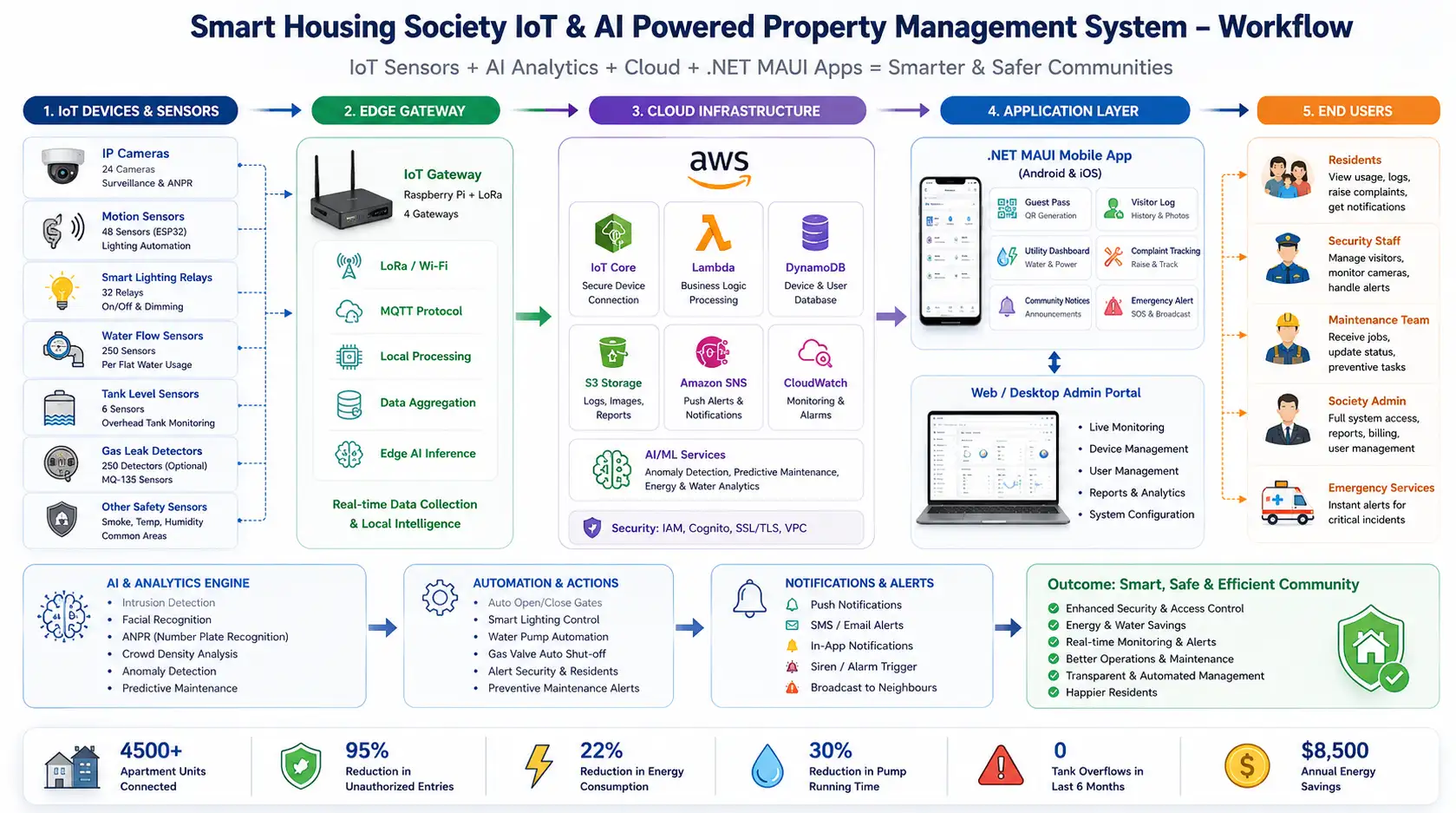
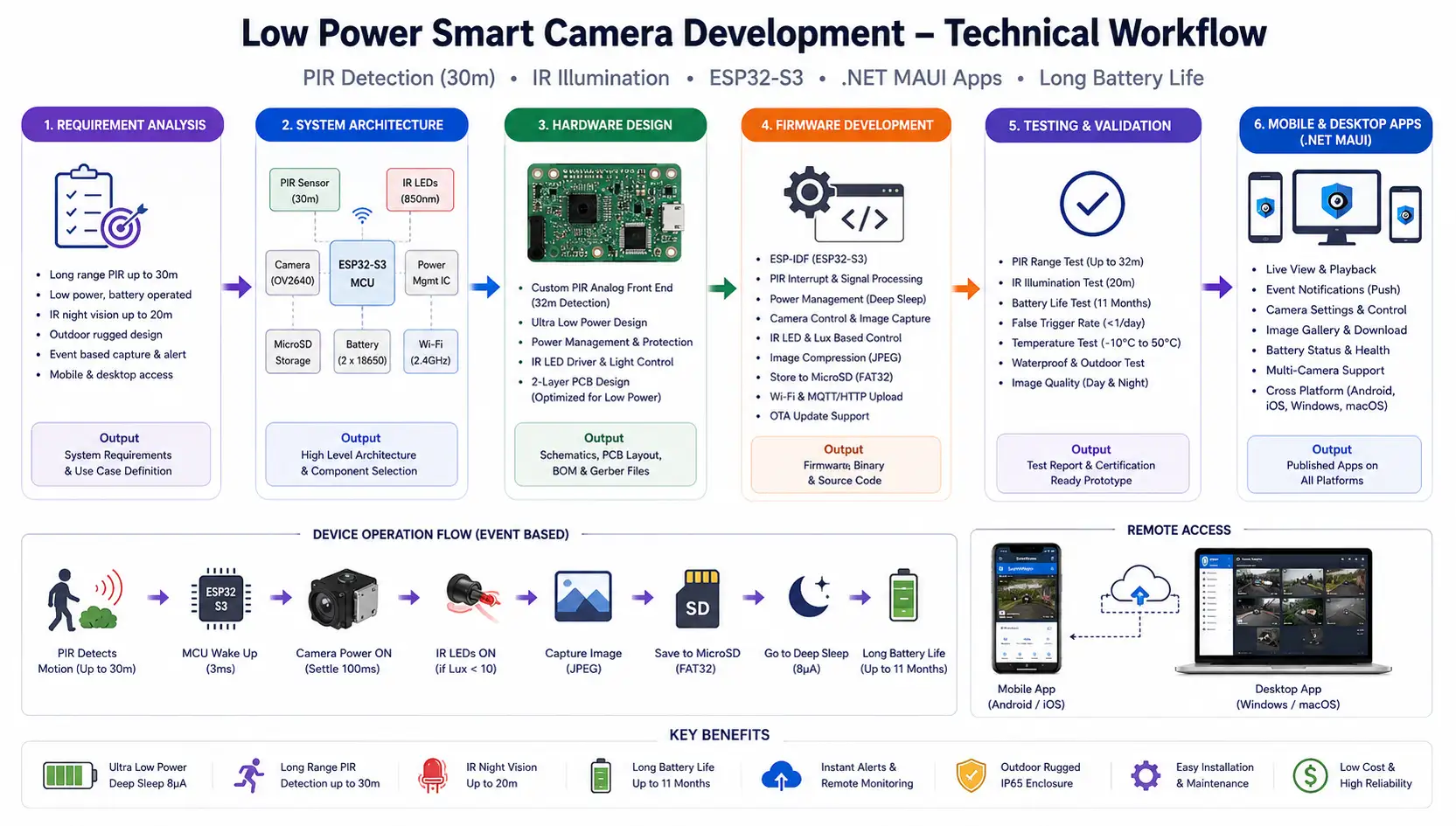
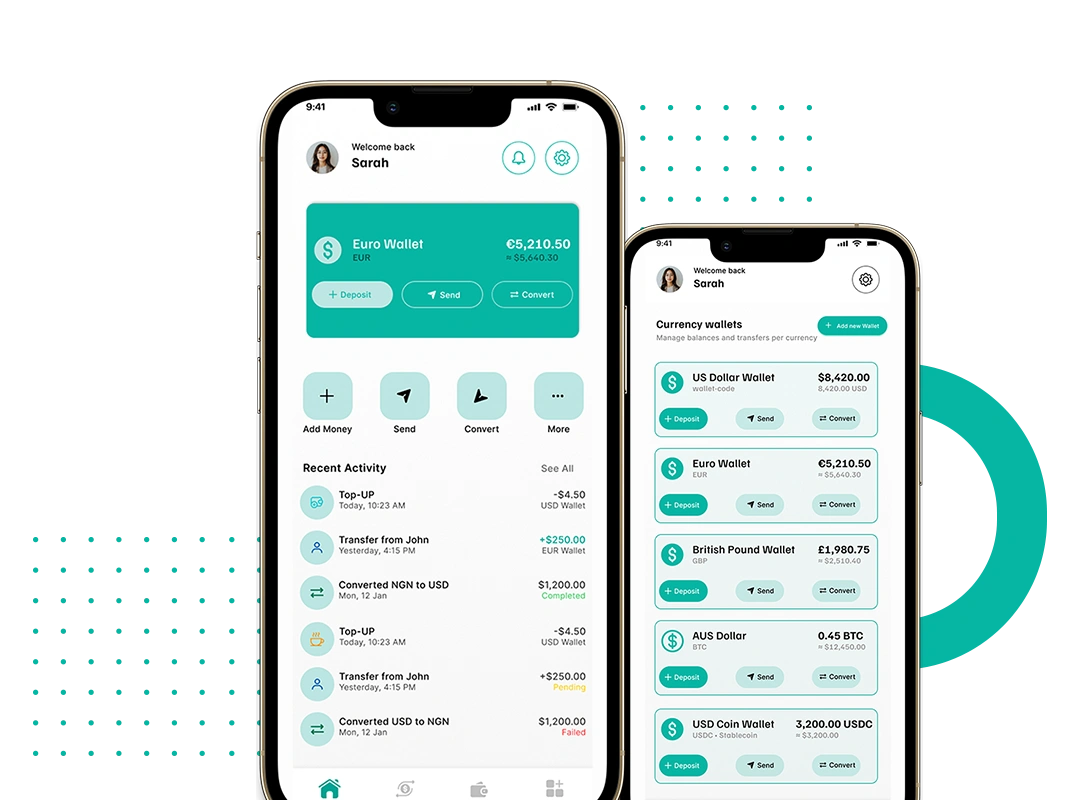
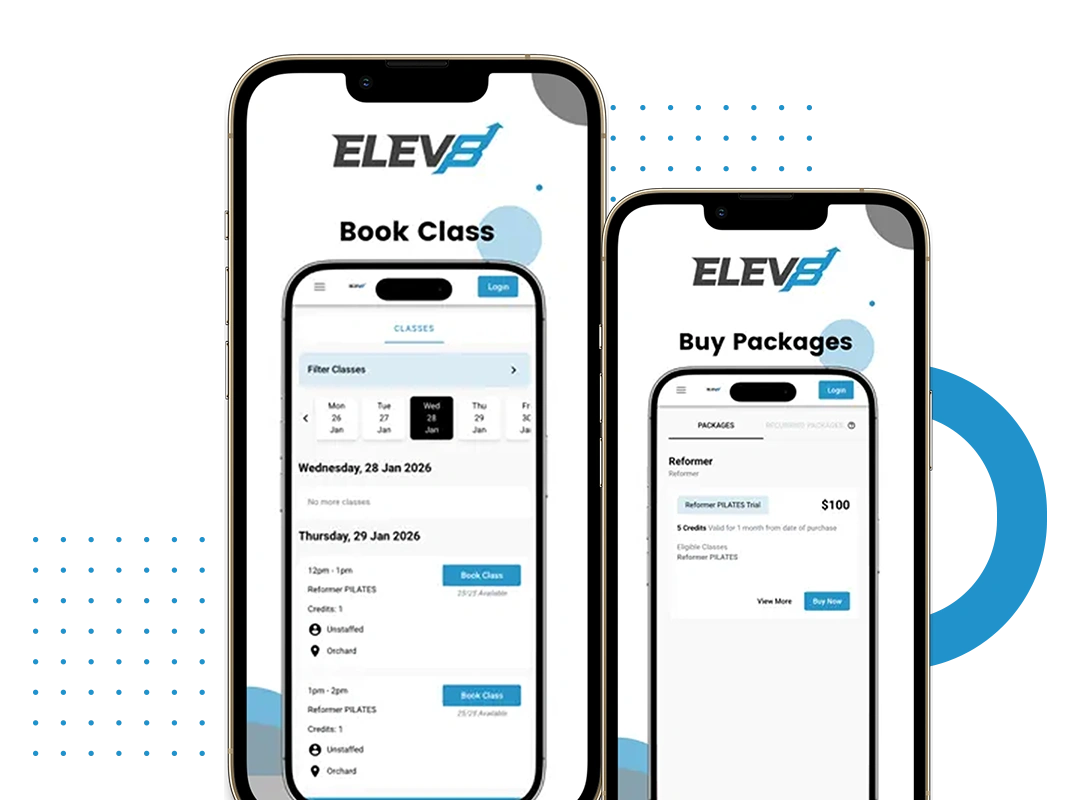
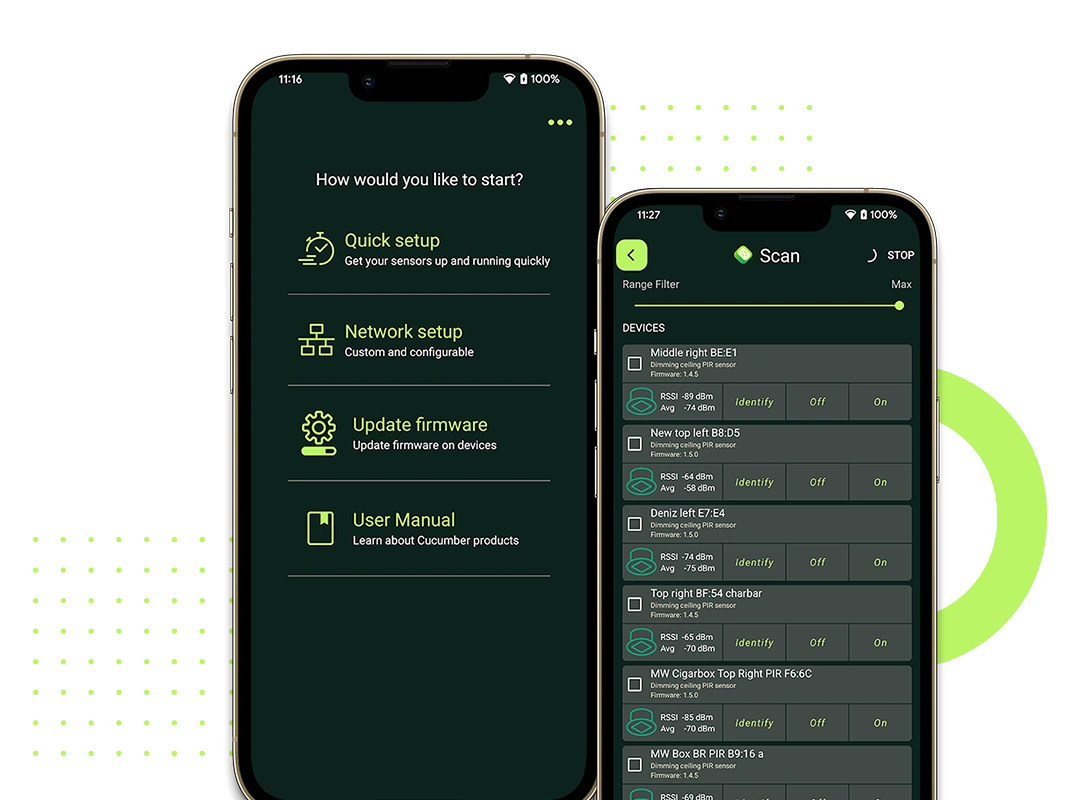
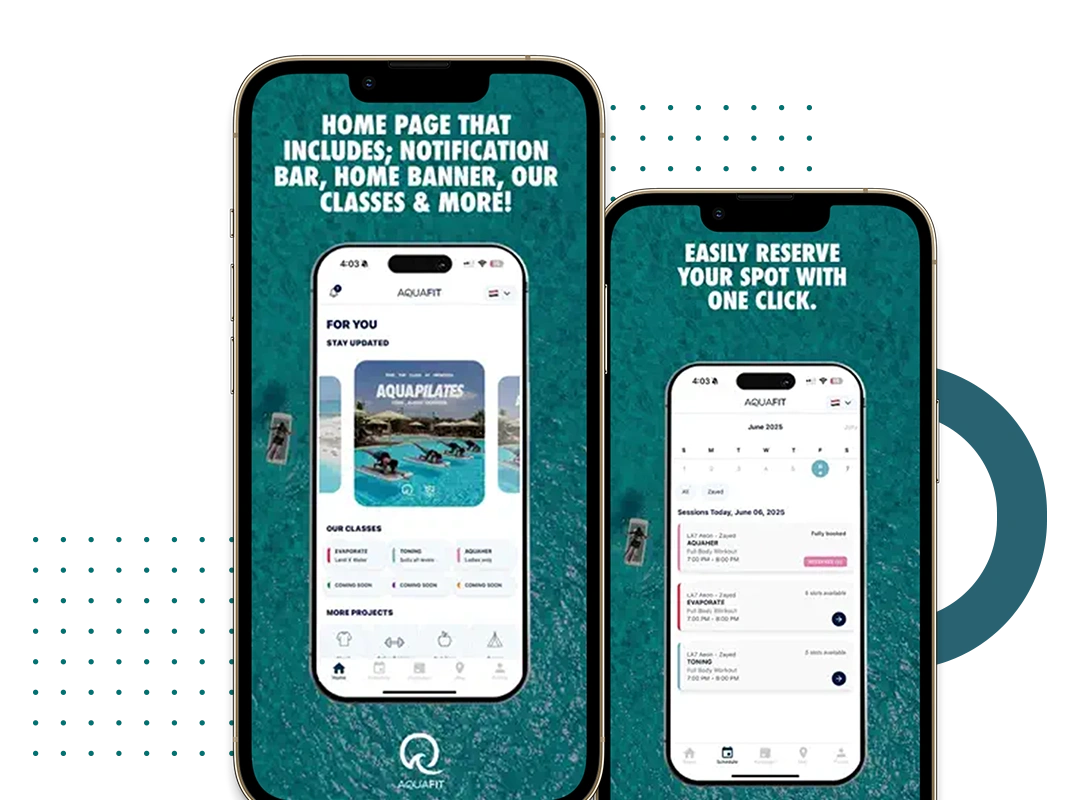
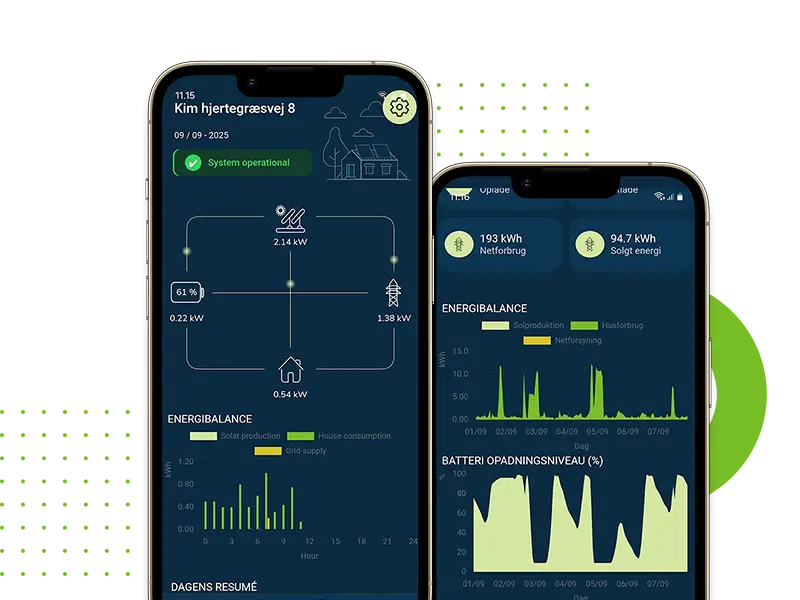
To gain insight into the ability and technical experience in creating cross-platform mobile and IoT (Internet of Things) applications, please take a look at our case studies related to the .NET MAUI software.
By reviewing these real-world projects, you will see the degree of expertise we demonstrate in developing artificial intelligence applications, creating IoT-based systems, developing fintech platforms, and creating mobile applications with advanced capabilities; therefore, the projects presented clearly demonstrate that we are able to successfully deliver scalable, high-performance solutions that meet a variety of business and industry needs.
Our Migration Methodology
Migrating from Xamarin.Forms to .NET MAUI involves more than just copying and pasting your code. You must accommodate architectural changes alongside maintaining your existing business logic. Thus, each migration project will be performed in a well-structured manner.
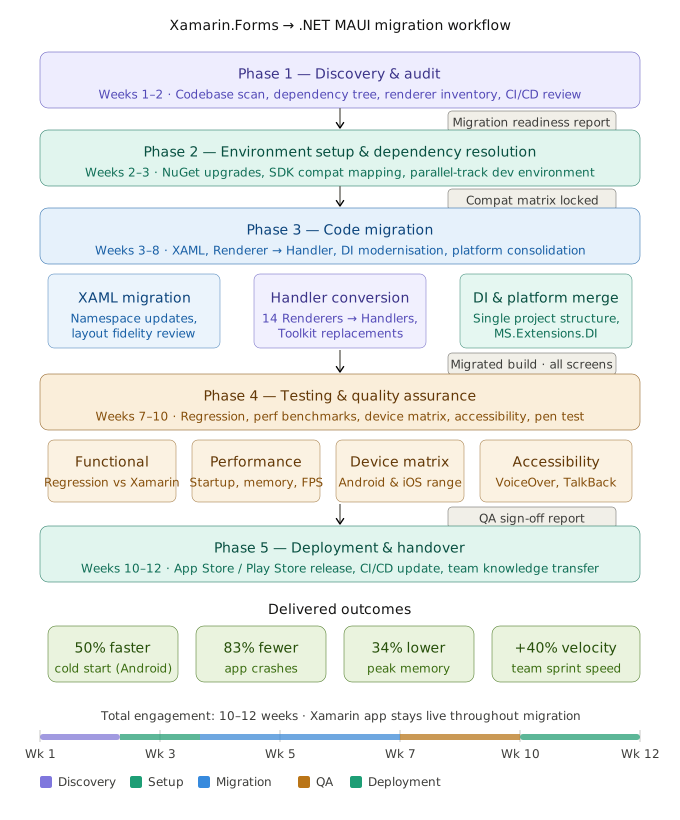
Phase 1: Discovery/Audit (Weeks 1-2)
An audit of your existing Xamarin.Forms application should be completed before continuing with the migration. The following will be audited by our architects during the audit process:
The current version of Xamarin.Forms and the corresponding NuGet dependency tree. The status of any third-party libraries to confirm compatibility with .NET MAUI Identify any custom renderers that need to be converted to handlers Refactor any DependencyService implementations Identify any platform specific code within your Android and iOS projects Review CI/CD pipeline configurations and testing coverage
The results of the audit will be included in a Migration Readiness Report, which will provide a detailed analysis of the complexity and will include a phased roadmap for your migration.
Phase 2: Environment Setup & Dependency Resolution (Weeks 2 - 3)
Prior to starting the first line of migration code, our team will set up the required target .NET MAUI environment and will also resolve any dependency conflicts.
The following will take place during this period:
Upgrade any incompatible NuGet packages or replace them with compatible ones, if necessary Identify all Xamarin packages that have an official MAUI equivalent Set up the new unified .NET MAUI project structure Create a parallel development environment so that your existing application stays functioning when migrating.
Phase 3: Code Migration (Week 3-8)
Phase Three of the migration process consists of migrating code from one development language framework to another (Week 3-8 completion, depending on the scope of the project).
During this phase, the majority of the coding work will be completed using a systematic method by our engineering staff.
XAML Migration:
Most of the XAML files created in Xamarin.Forms will successfully be migrated without issues. All XAML and its namespaces will need to be updated to .NET MAUI. A review will be performed by our team for rendering accuracy and any subsequent structural changes of XAML controls and layout behaviour.
Converting Renderers to Handlers:
Conversion of custom renderers to handlers is often one of the largest technical endeavours for any code migration project. Xamarin custom renderers were a way to provide platform specific custom user interface experiences. Custom renderers need to be replaced with handlers in .NET MAUI. The experience our team has had completing so many renders has reduced the amount of time required for this task.
Consolidating Platform Projects:
All platform specific code (Android and iOS) will be consolidated into a single application in .NET MAUI (and organized in a manner that is easy to distinguish using #if ANDROID/#if IOS or partial classes).
Updating Dependency Injection:
Microsoft.Extensions.DependencyInjection will be used to provide dependency injection support natively to .NET MAUI. Because of this, the custom IoC containers used in previous versions of Xamarin will need to either be upgraded or eliminated entirely.
Phase 4: Quality Assurance and Testing Phase (7-10 weeks)
For our QA on migration projects, we perform the following tests:
Functional Regression Testing
Each feature of the new application will be tested to ensure it works just as it did in the original Xamarin application.
UI Fidelity Testing
A fully recorded visual comparison of each screen will be completed on devices of varying sizes.
Performance Benchmarking
Startup time, memory usage, and scrolling performance will be measured against the baseline measurements for Xamarin.
Device Matrix Testing
We will test a representative matrix of devices running both Android and iOS, including devices that were manufactured many years ago.
Accessibility audit to validate that your application is WCAG 2.1 compliant, and screen readers will work correctly.
Phase 5: Deployment and Handover (Week 10-12)
We deployed legacy application to the Apple App Store and Google Play Store by completely migrating your existing application. This will also include updating your existing CI/CD Pipeline (build and release process) to .NET MAUI compatible formats. Documentation and knowledge transfer sessions will be conducted with your in-house development team.
Common Migration Challenges We Solve
"Our custom Renderers are too complex to migrate."
We have handled Renderer-to-Handler conversions for highly specialized UI components including custom map overlays, signature capture widgets, barcode scanners, and media players. Complex Renderers are a challenge we are specifically experienced in.
"We have dependencies on libraries that don't support MAUI yet."
The greatest barrier to migration is often dependency resolution. We have a compatibility matrix of commonly used Xamarin libraries and their MAUI counterparts, and we have also had success negotiating early access builds with SDK providers.
"We can't afford application downtime during migration."
Our parallel-track migration approach keeps your Xamarin app fully operational throughout the migration process. We only cut over once the MAUI version has passed full QA.
"Our team doesn't have MAUI expertise in-house."
Knowledge transfer is built into every engagement. We pair our engineers with your developers throughout the migration, and our handover package includes comprehensive technical documentation tailored to your specific application.
Why Adequateinfosoft for Your MAUI Migration?
Migration is not treated as a commodity at Adequateinfosoft. Each legacy modernization project has its own engagement agent, who is a senior engineer with actual production .net MAUI experience (not just someone who has read the documentation).
Our cross-platform mobile development expertise includes .net MAUI, Flutter, React Native, and iOS/Android app development. With this much experience, we can make sound architectural decisions vs simply do a mechanical conversion of code from one framework to another.
We work with enterprise clients, healthcare providers, logistics companies, and SaaS companies. We understand that you are not just creating a codebase with your mobile application; it is a customer interaction point, a revenue generator, and often compliance related. Therefore, we try to treat your mobile application as such.
Xamarin & .NET MAUI Experts for Seamless
Our Xamarin and MAUI development team has extensive knowledge and hands-on experience in the creation of seamless mobile and cross-platform solutions. We can migrate your entire application from Xamarin to .NET MAUI with minimal disruption.
Our company is a leader in the .NET ecosystem for developing applications using both Xamarin and .NET MAUI and our team is recognized within the industry as an expert on both technologies. Our team actively participates in the developer community, where we are known for providing high-quality, scalable mobile applications.
We provide full-service solutions to our clients and we manage the architecture, migration, development and optimization of applications with a focus on performance, scalability, and future-ready solutions.

.NET MAUI / WPF Software Development Unity Development (Game / 3D Applications) Mobile, Desktop & Cross-Platform Application Development

.NET MAUI Development ASP.NET Core Development REST API Design & Development

.NET/WPF Developer Certified Scrum Master (Credential ID 81619416362140) Experienced in building Windows desktop applications

Full Stack .NET Developer Skilled in WPF, C#, SQL, and Web API Experience in building end-to-end applications Strong backend and desktop development expertise Certified in Foundational C# with Microsoft