








 Mean Stack Development
 Vue JS Development
 Javascript Development
 React JS Development
 Angular JS Development
 Next JS development
 Java Development
 Python Development
 Django Development
 Cherrypy Development
 C# Development
 ASP.NET Development
 NodeJS Development
 Laravel Development
 CodeIgniter Development
 Zend Development
 Ruby on Rails Development
 CakePHP Development
 PHP Website Development
 Symfony Development
 Drupal Development
 Joomla Development
 Wordpress Development
 .NET Nuke Development
 Kentico
 Umbraco
 .NET MAUI Development
 Xamarin Application Development
 iOS Application Development
 Android Application Development
 Android Wear App Development
 Ionic Development
 iBeacon Application Development
 Universal Windows Platform (UWP)
 Kotlin Application Development
 Swift Application Development
 Flutter Application Development
 PWA Application Development
 Flutter Health Tech & Wearable App Development Company
 React Native Health Tech Wearable App Development
 Offshore Software Development
 Custom Application Development
 Front-End Development
 Full Stack Development
 AI & Machine Learning
 Custom CRM Solutions
 Flask Software Development
 Electron JS Development
 ChatGPT Development
 Telemedicine App Development
 Build Smart Telemedicine Platform
 Beauty & Salon App Solutions
 Hire Workato Experts
 Magento Development
 Magento 2.0 Development
 Magento Enterprise
 Shopping Cart Development
 Prestashop Development
 Shopify Development
 Open Cart Development
 WooCommerce Development
 BigCommerce Development
 NopCommerce Development
 Virto Commerce Development
 AspDotNetStorefront Development
 .NET Application Development
 Microsoft Dynamics CRM
 VB .NET Development
 Sharepoint Migration
 ASP.NET Core Development
 ASP.NET MVC Development
 AJAX Development
 Agile Development
 Microsoft Bot
 Microsoft Blazor
 Microsoft Azure Cognitive
 HTML 5
 UI/UX Design
 Graphic Design
 Adobe Photoshop
 XML Application Development
 Cloud Computing Solutions
 Azure Cloud App Development
 AWS Development
 Google Cloud Development
 Certified AWS IoT Services Developers
 DevOps Consulting & Development
 Kubernetes Consulting & Services
 SQL Programming Development
 MySQL Development
 MongoDB Development
 Big Data
 Robotic Process Automation
 Social Media Marketing
 Search Engine Optimization
 QA Testing
 Software Testing
 Software Security
 Maintenance And Support
 I.T. Consulting Services
 Business Intelligence
 YII Development
 Data Analysis
 Alexa Skills Development
 On Demand App for Mobile repairing services
 On Demand App for Car Service Booking
 On Demand App for Cleaning Services
 On Demand App for Pharmacy
 On Demand Dedicated Developers
 On Demand Lawyer App Development





 Nuki Smart Lock
 Salto Smart Lock
 TTlock Smart Lock
 NFC App Development
 Custom IOT Enabled Smart Lock
 Smart Locker Solutions
 Hospital Smart Lock Systems
 Hotel Smart Lock Systems
 Smart Home & Office Locks
 Smart Access for Schools & Colleges
 Unloc Smart Lock Integration
 Yale & August Smart Lock Integration
 Populife Smart Lock Integration
 Smart Lock Hardware Development
 Dairy IoT Solutions
 Agri IoT & AI Solutions
 Weather & Climate Solutions
 Water & Waste Management Solutions
 RaspBerry Pi
 Firmware Software Development
 ESP 32 Software Development
 Embedded Development
 Internet of Things
 Smart IoT Development
 IoT Sensor Integration & Development Solutions
 Smart IoT System Development for HVAC
 Tuya IoT App Development
 Particle IoT SDK
 IoT Development with AI
 Smart Pet GPS Tracker
 Dairy GPS Tracking Solutions
 GPS Fleet Management Software
 Car Rental & Subscription Solutions
 Car Buy & Sell Marketplace Development
 AI-Powered Car Wash App Development
 PCB Design & Fabrication
 IoT AC Automation
 AI–IoT Painting Solutions
 IoT Wearable Hardware & App Development
 HVAC Automation & AI Control Systems
 Smart Home IoT Engineering
 AI Embedded Systems
 AI Hardware Design Service
 Advanced IoT Hardware & Firmware Development
 Device Driver Development Services
 NXP i.MX RT Firmware & Hardware Services
 Microchip PIC & AVR Development
 Hire IoT Architects
 IoT Cloud & Infrastructure Solutions
 Infineon XMC / AURIX Development Services
 Matter & Thread IoT Services
 Native IoT Mobile App Development (BLE & Wi-Fi)
 Snapdragon IoT Firmware Development
 Renesas RA/RX Firmware Services
 Silicon Labs EFR32 Development Services
 Smart Wearable App Development
 Smart IoT Meters
 Smart Healthcare Wearable App Development
 Health Care Monitoring System
 Fitness Tracking App Development
 Smart Home Automation Apps
 nRF PCB Design
 ESP32 PCB Design
 Embedded Wearables Engineers
 Rental Property Management System
 Building Management System
 Smart Lighting Development
 Infineon Semiconductor Firmware Development Services
 Custom Camera Development: Hardware, Firmware & PCB Prototyping
 Smart Security Camera SDK
 Nordic Semiconductor SDK
 Infineon SDK
 Arduino SDK
 NFC Lock Integration
 Kerong Lock Integration
 IoT & AI Solutions for Manufacturing
 Smart Inventory & Logistics Solution
 Food & Beverage Industry Solutions
 Smart Hospitality Solutions
 Smart Property Management
 Custom Smart Home IOT SDK
 Smart IoT & AI in Healthcare
 AI-Powered Security Solutions
 Smart Home Safety & AI
 Veterinary Clinic Management (AI)
 Pet Care System (AI & IoT)
 Pet Training & Adoption (AI)
 Healthcare IoT Development
 Event Management Software
 Money Remittance App
 Money Lending App Development
 Utility and Bill Payment App
 IoT Mobile App Development (Flutter & React Native)
 AI & IoT Retail Solutions
 Smart EV App Development
 Smart Solar IoT & AI Solutions
 IoT-Based Energy Systems
 Smart Energy & Utilities Solutions
 6G Solutions
 IoT Security Solutions
 AI-Powered Lottery App Development
 AI-Sports Fitness Club Management
 Travel
 Real Estate
 Medical & Healthcare
 e-Learning
 Consumer Products
 Finance
 Automobile
 Media & Entertainment
 Billing Software
 Enterprise Resource Planning (ERP)
 Augumented & Virtual Reality
 Point of Sale(POS) Development
 Learning Management System
 EV Charging Solutions
 About Us
 Partners & Certifications
 Quality Assurance
 Our Clients & Testimonials
 Development Process
 Our Products
 Social Responsibility
 Work Ethics
 Vision & Mission
 Awards
 Live Project Demos
 Contact Us
 Case Studies
 Portfolio
 Blog
Blog
Design and Development of Custom IoT-Based Smart Door Lock Solutions
The smart lock project is not finished just because you have figured out how to open the lock. After this comes the question of who is allowed to give commands, how long the access should be valid, what will happen in the case of an internet shortage and also how the operator will know whether the command has reached the door.
Adequate Infosoft develops custom smart lock applications and business access-management systems. We connect supported lock hardware with mobile apps, web dashboards and backend services, helping businesses manage access around their day-to-day operations.
Your project may involve extending an existing lock platform or developing a more customized product.
In either case, you need to know how the lock works, create rules that specify who is allowed to access it and figure out what will happen when everything goes wrong.
Connect with us
What is an IoT-based smart lock?
An IoT (Internet of Things)-based smart lock is a lock that is connected to the internet. This means you can control it from your smartphone or computer.
With our smart lock solution, you can lock or unlock doors, monitor who enters or exits, and grant temporary access — all without handing over physical keys. It's all managed effortlessly through a simple mobile app or web interface.
What do we do?
We use IoT (Internet of Things) technology to create smart lock systems that connect to devices in real-time. The mobile app, web app, and hardware work together in real-time to provide smooth, connected access control.
No need to carry a physical key — simply log in through the app, and the door unlocks instantly.
Project Example: TTLock Integration for a Danish Home-Automation Business
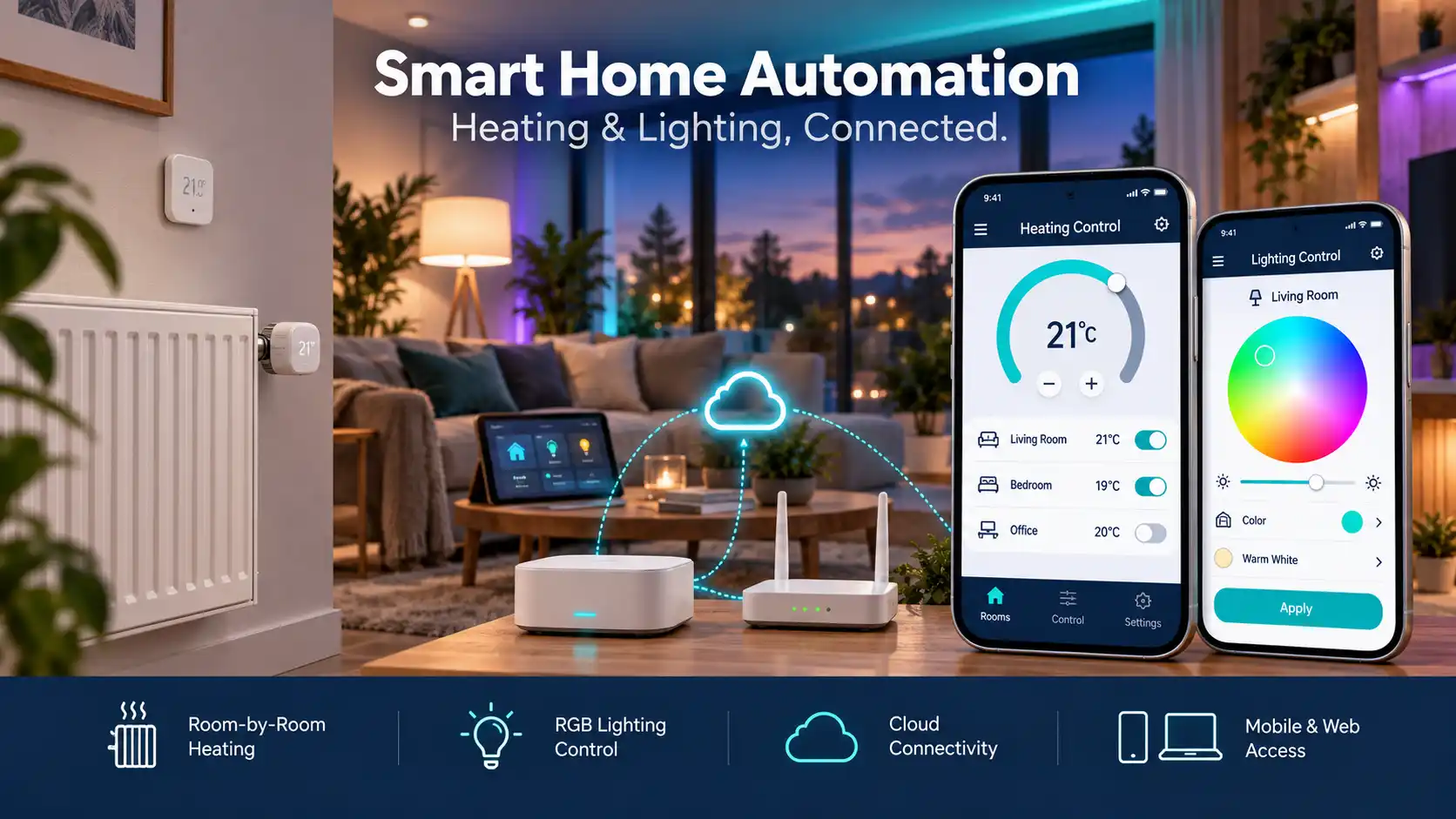
Adequate Infosoft developed mobile and web functionality for a Danish home-automation client using the TTLock SDK and REST API.
The project included two modules, KeyLockCtrl and AccessCtrl. These brought supported lock functions into the client's wider application, including Bluetooth connectivity, access schedules, lock grouping and lock-history viewing.
The work illustrates a common business requirement: incorporating access control into an existing customer experience instead of asking users to manage it through a separate application.
Read more about case studySmart Lock Features
Online check-in and check-out
Users get an entry pass on the app. No keys are needed.
Role-based access
Each user gets access according to their roles — such as staff, visitor, manager, or maintenance team.
Real-time access logs
You can see exactly who entered or exited when it happened, and which door was used — all within the app.
Remote lock/unlock
The door can be opened or closed from anywhere via a mobile or web app.
Group access control
You can add users to a group — such as 'security team' or 'housekeeping'. Then you can give access to that group.
Weekly access schedule
You can give some users access only every Monday to Friday, from 9 am to 6 pm.
Monthly Schedule Access
You can give an employee access only from the 1st to the 10th of each month.
One-Time Access Pass
If you have a visitor, you can generate access for just one time — that access will expire once it is used.
Choosing Between an Existing Lock Platform and Custom Development
Not every business needs a new lock design. If existing hardware supports your access methods and operating requirements, building on its SDK or API may be the more practical route.
The initial action is to determine and verify the specific model of the lock, not simply the brand name itself. For example, Bluetooth access, remote control, temporary access credentials, event reporting and firmware updates may not all require the same technology.
The need for a custom software and hardware project may arise when the characteristics of the existing technology are not able to deliver the functions that are essential, such as the needed shape of casing, needed power, required access methods or national law.
That decision also introduces responsibility for electronics validation, firmware maintenance and manufacturing readiness.
Before committing to either route, establish who owns the application, who controls the device credentials, which functions depend on a vendor cloud and what happens if the platform changes its commercial terms.
Security and Reliability Checks Before Rollout
A working demonstration is only the beginning. A business access system also needs to behave predictably when permissions change, connectivity drops or users make mistakes.
The acceptance plan should cover:
-
Permission boundaries: can an administrator manage only the properties and doors assigned to them? -
Credential expiry: what happens at the exact end of a guest's access period? -
Lost phones and removed users: which credentials can be revoked remotely, and which require device synchronization? -
Time changes: do schedules behave correctly across time zones and daylight-saving transitions? -
Interrupted operations: what does the user see when a command times out? -
Event handling: can delayed or duplicate records create misleading reports? -
Device recovery: what happens after a gateway restart, battery replacement or supported firmware update?
What Happens When a Smart Lock Goes Offline?
An internet outage should not leave users guessing whether they can enter a building. The access plan needs to distinguish locally available methods from functions that require a working network connection.
Based on the hardware, an authorized user can still gain access through Bluetooth, a PIN that has already been stored or a card. Commands sent remotely and new authorizations must function differently. It is possible that an access change is not reflected in an offline lock when revoking access via a dashboard.
The interface should make these differences visible. "Request submitted," "waiting for the device" and "operation confirmed" should not appear as the same result.
Revolutionize Access Control Across Industries with Smart Lock Integration
Airbnb and Hospitality
Integration is very useful for Airbnb hosts, hotels, and guest houses.
Integration is very useful for Airbnb hosts, hotels, and guest houses. When a guest books a property, the system automatically creates a limited-time digital key that is valid for the duration of their stay. This eliminates the need for manual check-in and provides convenience to guests.
Healthcare
In nursing homes or care facilities, Smart Lock can be used to secure and control access for patients or staff.
In nursing homes or care facilities, Smart Lock can be used to secure and control access for patients or staff. Remote door unlocking proves especially useful during emergencies, enabling instant access when it matters most.
Hostels
The check-in process for guests in hostels can be automated.
The check-in process for guests in hostels can be automated. A temporary digital key can be issued for each bed or room, increasing both security and convenience.
Real Estate
Real estate agents can use Smart Key to showcase properties.
Real estate agents can use Smart Key to showcase properties. They can provide limited-time access to potential buyers or tenants without requiring them to be present in person.
Rentals and more
Smart Lock integration is very effective for car rentals, equipment rentals, or any place where temporary access is needed.
Smart Lock integration is very effective for car rentals, equipment rentals, or any place where temporary access is needed.
Hire an IoT-based smart lock developer
Do you need an IoT-based smart lock developer? We have a team of experienced developers who work in this field.
Do you need an IoT-based smart lock developer? We have a team of experienced developers who work in this field. Our developers have a good knowledge of IoT devices, sensors, connectivity protocols, and building secure software.
Whatever your project demands, we have the right experts to make it happen. We understand that every project has its own unique needs, and we are ready to expand your team or manage the entire project. Learn more about our IoT development services.
Mobile App Development
React Native
A single code allows the app to run on both Android and iOS platforms.
Flutter
A cross-platform tool developed by Google that keeps the UI smooth.
Ionic Framework
For hybrid app development with Angular or React.
Native Android (Java/Kotlin) and iOS (Swift)
Native apps are created where more custom functionality is needed.
Web App Development
React.js
For fast and user-friendly frontend interfaces.
Angular.js
For structured and scalable web apps.
Vue.js
For creating lightweight and interactive UIs.
Next.js
For web apps that are SEO friendly and have server-side rendering.
Blazor App (C#)
.NET-based client-side and server-side app development.
What technologies and SDKs do we use?
Smart lock development uses several technologies and SDKs. Our developers work with the following tools:
Communication protocols |
|
|---|---|
| Bluetooth Low Energy (BLE): | For short-range communication between the smart lock and a mobile device. |
| Wi-Fi: | For connecting the lock to the internet and remotely controlling it. |
| Zigbee/Z-Wave: | For connecting devices in the smart home ecosystem. |
| LoRaWAN/NB-IoT: | For long-range and low-power communication, especially in large premises. |
Cloud Platforms |
|
|---|---|
| AWS IoT: | Amazon's cloud platform helps manage IoT devices, and store and process data. |
| Google Cloud IoT Core: | Google's IoT solution provides device connections and data management. |
| Microsoft Azure IoT: | Microsoft's cloud service helps build and deploy IoT solutions. |
Programming languages |
|
|---|---|
| Python: | For backend logic and data processing. |
| Node.js: | For building scalable and fast server-side applications. |
| Java/Kotlin: | For native Android app development. |
| Swift/Objective-C: | For native iOS app development. |
| C/C++: | For embedded systems and hardware interaction. |
| MQTT (Message Queue Telemetry Transport) | Fast and lightweight communication between IoT devices and servers. |
|---|---|
| NFC (Near Field Communication) | Touch-based access. |
| WiFi & GSM Modules | Remote control and internet connectivity. |
| Embedded C / C++ / Micropython | For device-level programming. |
SDKs |
|
|---|---|
| TTLock SDK | Most widely used SDK for smart lock hardware. |
| Nuki SDK | For Europe-based smart lock systems. |
| Salto SDK | For hospitality and enterprise systems. |
| August Lock SDK | For Airbnb and smart home. |
| ESP32 SDK | To run code on IoT devices. |
Cloud Platform SDKs |
|
|---|---|
| AWS IoT SDKs: | For connecting and interacting with devices to AWS IoT. |
| Google Cloud IoT Core SDKs: | For integration with Google Cloud IoT Core. |
| Azure IoT SDKs: | For connectivity with Azure IoT services. |
Bluetooth SDKs |
|
|---|---|
| Bluetooth LE SDKs: | For communicating with BLE devices, especially in mobile apps. |
| Native Bluetooth SDKs (iOS/Android): | For directly using the operating system's Bluetooth capabilities. |
| Hardware-specific SDKs: | SDKs are provided by companies that make microcontrollers and IoT modules, such as ESP-IDF (for Espressif ESP32/ESP8266), Arduino SDK, or Raspberry Pi SDK for embedded programming. |
| Security SDKs: | Cryptographic libraries and SDKs to ensure encryption, authentication, and secure communications. |
Real Use Case: Solutions built for our clients
Case 1: Denmark based house automation client
We built a smart lock system with ReactJS for a client. Users can lock/unlock their gate or main door from the app.
Case 2: Smart lock system for hospital
Role-based access through the mobile app gave doctors and staff the permissions they needed, while management maintained full control — turning access on or off instantly and keeping tracking effortless.
Why choose Adequate Infosoft?
-
A team of experienced IoT developers -
Experience in real projects -
Knowledge of both web and mobile platforms -
Regular communication and updates with clients -
Custom device integration facility
Questions About Custom Smart Lock Development
First, compatibility has to be investigated. Please give us brand, model number, firmware version, and SDK or API manuals. The investigation must identify which functions are usable and if there is a need for gateways, developer accounts, or business agreements.
No. Remote unlock capability is defined by a lock's features and connectivity. Some systems need a compatible gateway with internet, while others employ different technologies. Bluetooth compatibility alone does not guarantee remote lock management.
A multi-property dashboard can be designed for this purpose. The important part is separating permissions: a property manager should see only their assigned locations, while an authorized central team may need a wider view. Device compatibility and vendor account rules also affect the implementation.
The main factors include the number of lock platforms, mobile and web requirements, access rules, external integrations and testing scope. Custom electronics and firmware introduce additional work. A useful estimate separates development costs from recurring vendor, hosting and maintenance charges.
Forward your lock details, interested parties, procedures for making use of the locks, the estimated number of deployments required, and the integration needed. Describe what must function in the absence of an internet connection in explicit terms. All such information will help in determining the possible scope of the project in advance.